BC Friday Tips #56 Understand Missing Fields in Copy Documents
#BCFridayTips time for #msdyn365bc Consultants!
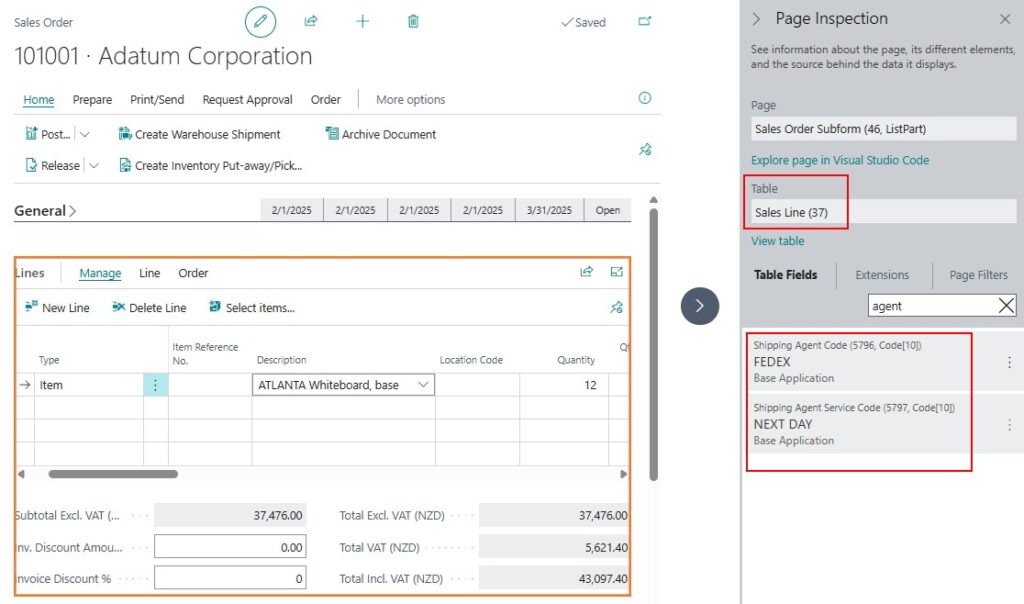
💡Did you know that not all fields in a Sales Order transfer to the Posted Sales Shipment or Posted Sales Invoice?
For example:
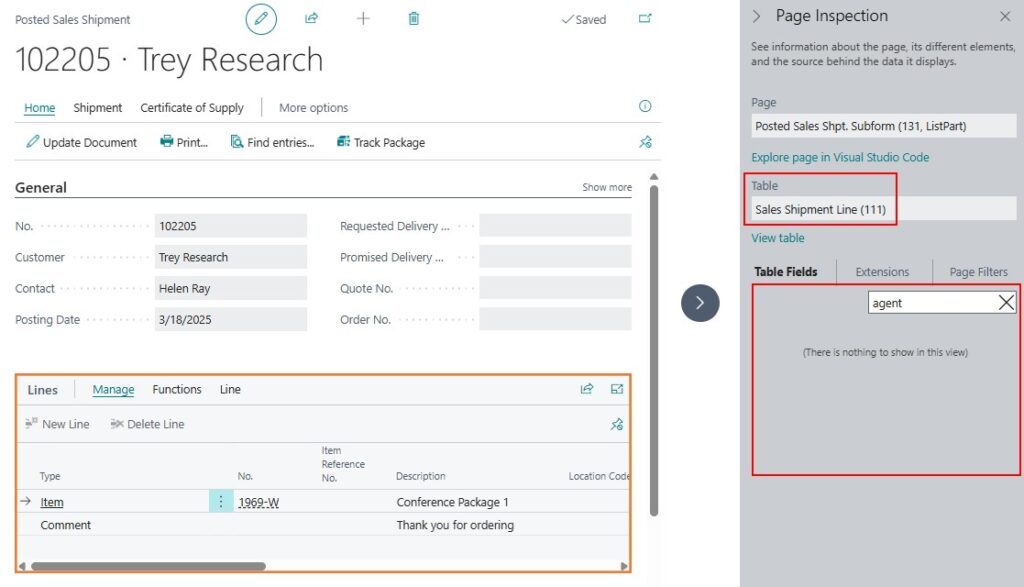
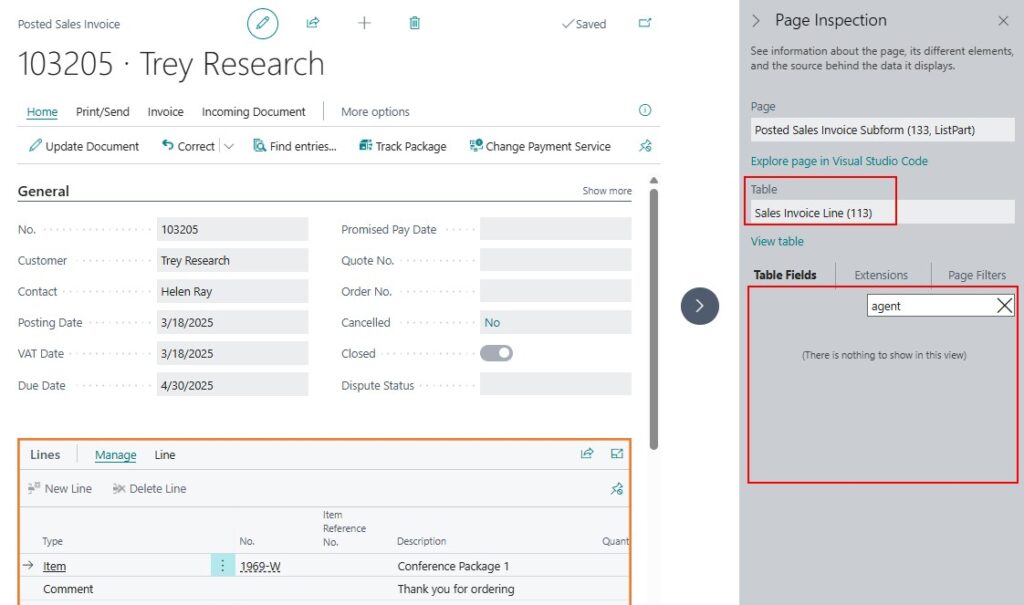
Shipping Agent Code and Shipping Agent Service Code exist in both the Sales Header and Sales Line. However, they only appear in the Sales Shipment Header and Sales Invoice Header, not in the line tables.
Why this matters:
✅ Users often expect these fields to remain consistent across all related documents.
✅ Copying from a Posted Sales Invoice can result in key fields being left blank. Instead, copying from an Archived Sales Order is usually a better approach.
Keep this in mind to prevent missing data and ensure accuracy in your workflows.
Repost to help others ♻️ and follow Teddy Herryanto for more tips! 🚀