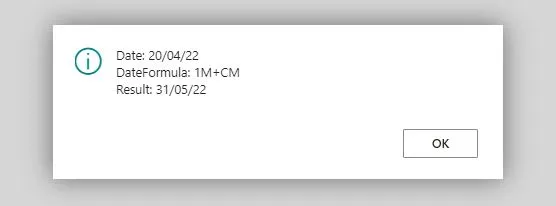
If you are working with NAV / Dynamics 365 Business Central, you will hear the term Date Formula. A date formula is a formula, abbreviated using combination of signs, letters and numbers, to calculate date. It is generally used to calculate date, such as Due Date or the next date for recurring job (Job Queue, Recurring Journals, etc).
The date formula can contain a maximum of 32 characters (signs, numbers, and letters). Below are the following letters and the meaning:
- C: Current (end of)
- D: Day
- W: Week
- WD: Week Day (not work day). Week Day 1 is Monday.
- M: Month
- Q: Quarter
- Y: Year
Let’s take a look at some examples on what you can do with it.
| Date | Date Formula | Result | Meaning |
|---|---|---|---|
| 20 Apr 2022 | CM | 31 Apr 2022 | End of Month |
| 20 Apr 2022 | -CM | 1 Apr 2022 | Beginning of Month |
| 20 Apr 2022 | 1M | 20 May 2022 | Plus 1 Month |
| 20 Apr 2022 | 1M+CM | 5 May 2022 | End of Next Month |
| 20 Apr 2022 | CM+D25 | 25 May 2022 | Day 25th of the following month |
| 20 Apr 2022 | CM+45D | 14 Jun 2022 | 45 Days after End of Month |
| 20 Apr 2022 | 7D | 27 Apr 2022 | Plus 7 Days |
| 20 Apr 2022 | D7 | 7 May 2022 | The next Day 7th |
| 20 Apr 2022 | D25 | 25 Apr 2022 | The next Day 25th |
| 20 Apr 2022 | -D10 | 10 Apr 2022 | The previous Day 10th |
| 20 Apr 2022 (Wed) | WD1 | 25 Apr 2022 | The next Week Day 1: Monday |
| 20 Apr 2022 (Wed) | WD6 | 23 Apr 2022 | The next Week Day 6 : Saturday |
| 20 Apr 2022 | 1Q+1M+CM | 31 Aug 2022 | Plus 1 Quarter and 1 Month, End of Month |
| 20 Apr 2022 | 1Y-CY | 1 Jan 2023 | Beginning of Next Year |
| 20 Apr 2022 | CY+1D | 1 Jan 2023 | Beginning of Next Year |
| 20 Apr 2022 (Wed) | CW | 24 Apr 2023 | End of this week (Sunday) |
| 30 Jan 2022 | 1M | 28 Feb 2022 | Next month (February 2022 only has 28 days) |
For developer who use DateFormula with CalcDate, make sure to use < > delimiters surrounding it (example: <1W> ), so the date formula is stored in a generic, nonlanguage-dependent format. This makes it possible to develop date formulas that are not dependent on the currently selected language.