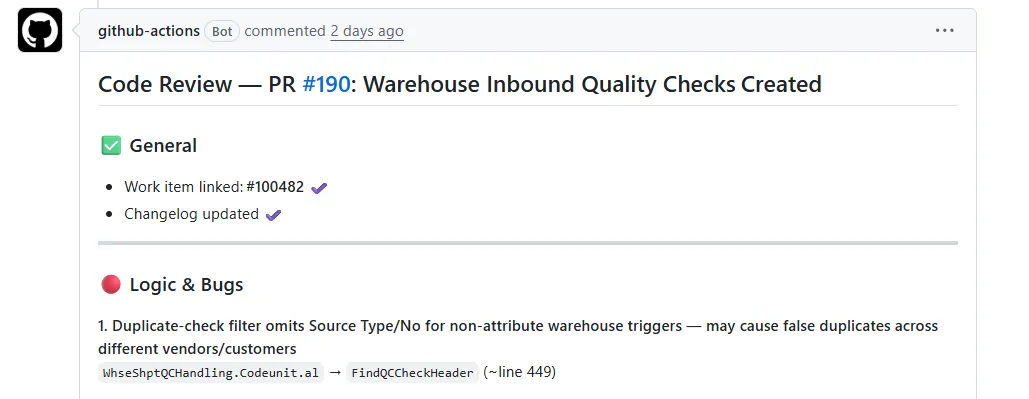
Have you seen Microsoft BCQuality and thought, “This looks useful, but how do I actually set it up in my GitHub Pull Request?”
The BCQuality repo is a great knowledge base, but there are not many plain, step-by-step examples showing how to drop it into your own AL project in GitHub and get a real pull request review running.
This post is the simple version.
Before we get into the steps, I have already done the heavy lifting for you (with the help of AI!).
I prepared the bcquality-al-review.md file, so you can use it directly in your workflow setup instead of starting from scratch.
Implementing Microsoft BCQuality
Microsoft BCQuality is a public repository with guidance you can use to review AL code quality.
Think of it as a reference library for Business Central best practices around correctness, maintainability, readability, performance, and testability.
In this setup, we let a GitHub Agentic Workflow use that knowledge base to post one advisory review comment on pull requests that change .al files.
It does not block your merge. It gives your team another set of eyes.
My setup points to the public Microsoft BCQuality repository out of the box.
If you want to use your own internal repo, clone BCQuality into a private repository in your organisation and point the workflow repository: value to that location.
Just remember that private repositories need authentication. In practice, that means using a token or a GitHub App with the right permissions so the workflow can check it out.
How to Implement
You only need three steps.
Before step 1, make sure you have the gh-aw extension installed on your PC, otherwise you will not be able to compile the workflow.
gh extension install github/gh-aw1. Get the workflow source file
Copy the file:
bcquality-al-review.md
2. Put it in your repository
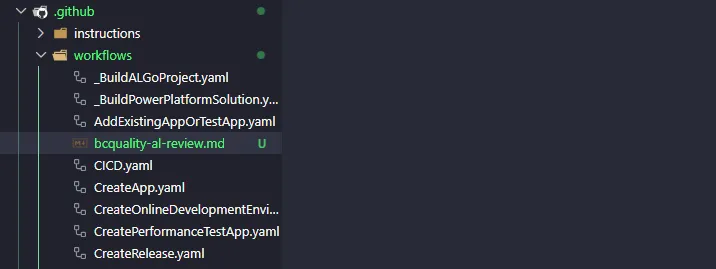
Place it here:
.github/workflows/bcquality-al-review.md
3. Compile it
From the repo root, run:
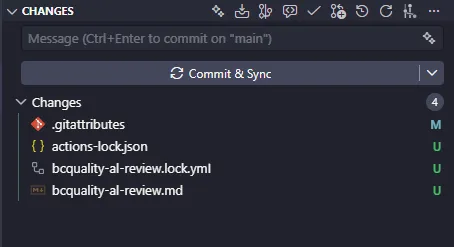
gh aw compileThat command generates the required lock/workflow files so GitHub can run it properly.
That’s it.
BCQuality AL Review — Setup & Portability Guide
What happens after that
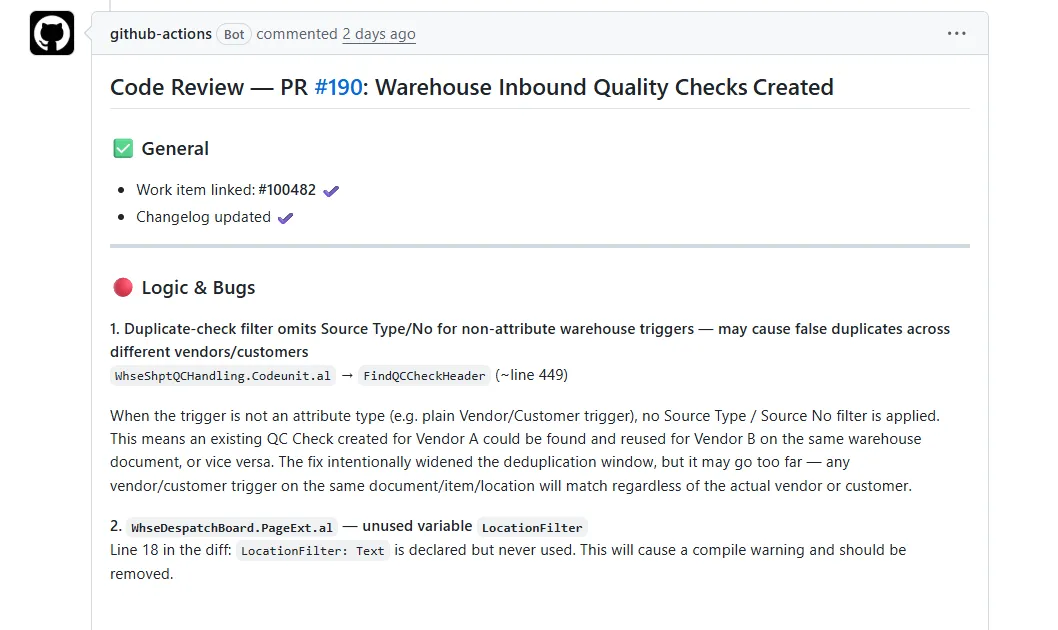
When a pull request changes AL files, the workflow checks out your repo, pulls Microsoft BCQuality into .bcquality, then runs an advisory review and posts a consolidated comment.
So instead of guessing, you get repeatable feedback grounded in the BCQuality guidance.
Final thought
If you already use pull requests for AL changes, this is an easy upgrade.
You keep your normal flow, and you get better review coverage with very little setup work.