
Time for #BCFridayTips for #msdyn365bc consultants!
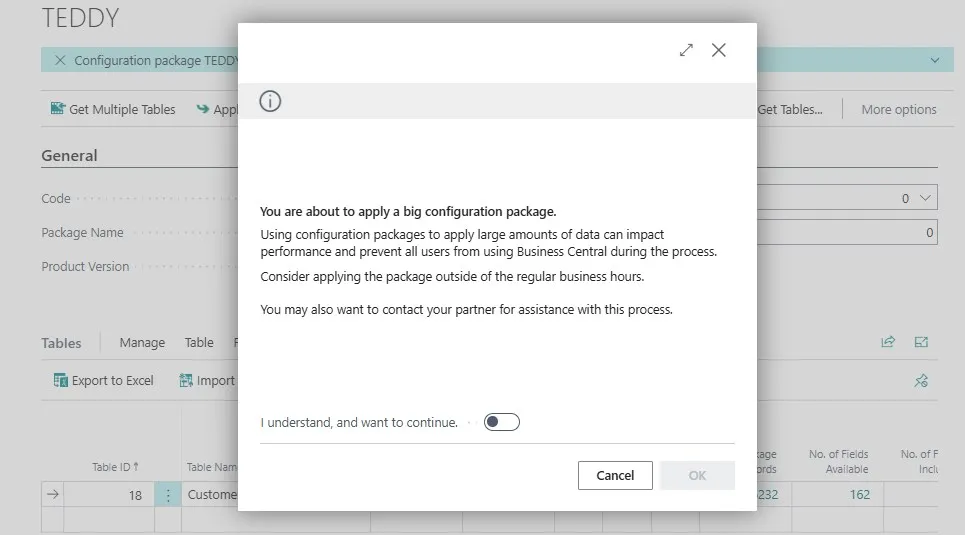
💡Did you know Business Central warns you when you import or apply a large Configuration Package?
That’s because large packages can slow down performance and even block other users while they’re being processed.
👉 But what does BC mean by large?
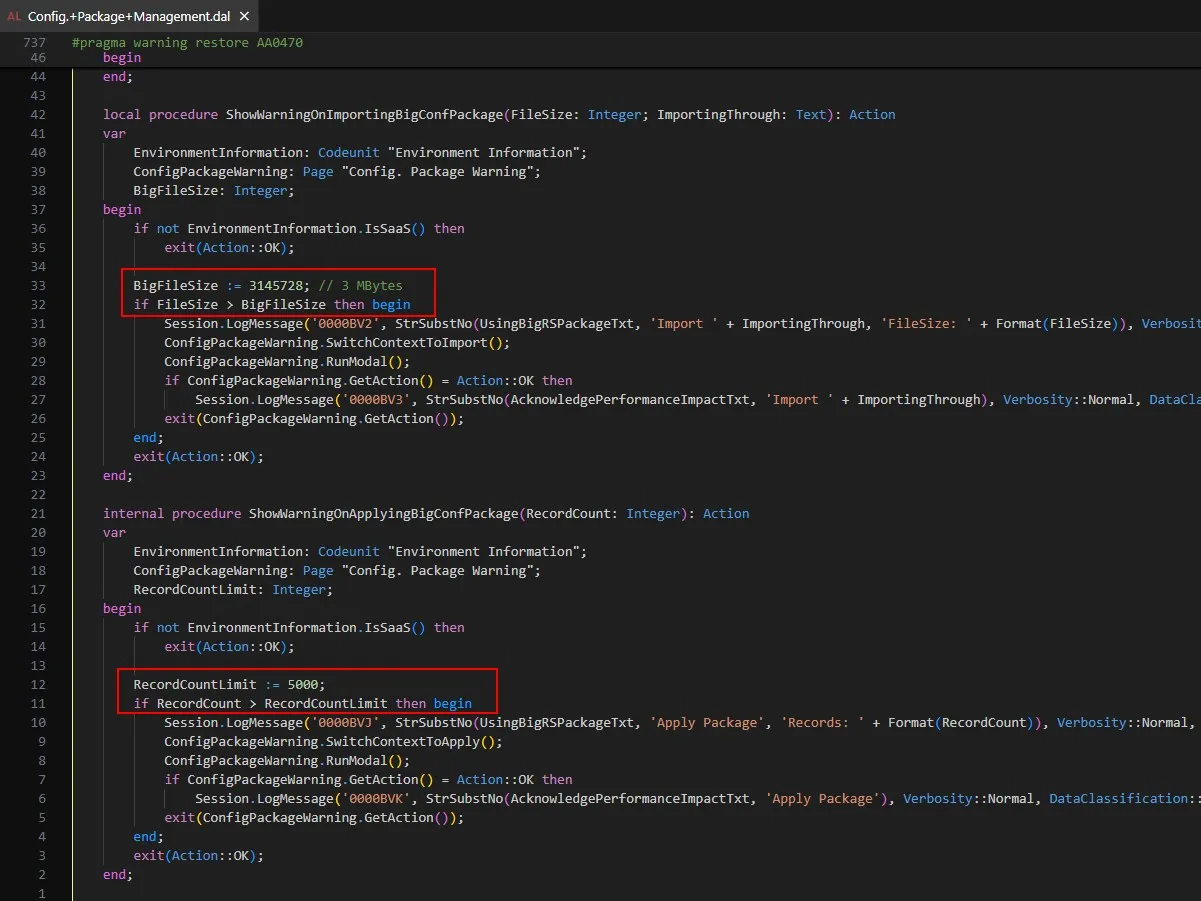
According to codeunit 8611 “Config. Package Management”:
📂 Import: when the file is larger than 3MB
📋 Apply: when the package has more than 5,000 records
Why does this matter?
✅ Prevents system slowdowns.
✅ Keeps users from being locked out during work hours.
Consider applying large configuration packages outside business hours to avoid disruptions.
Note: the record check applies to the whole package, even if you only want to apply one table.
Share to help others ♻️ and follow for more tips! 🚀