#BCFridayTips is here for #msdyn365bc developers!
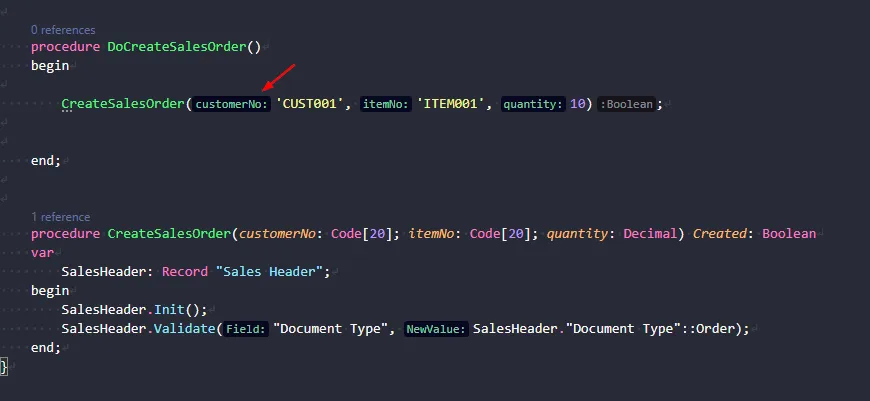
💡Did you know VS Code can show inline parameter names and return types while you code in AL?
Inlay Hints display extra context directly in the editor.
You do not need to:
• Hover over methods
• Jump to definitions
• Memorise parameter order
This is especially useful for procedures with many parameters.
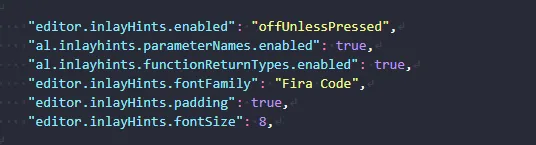
Enable these settings in VS Code:
“editor.inlayHints.enabled”: “offUnlessPressed”,
“al.inlayhints.parameterNames.enabled”: true,
“al.inlayhints.functionReturnTypes.enabled”: true
Why use it?
✅ Understand parameters faster
✅ Reduce mistakes when calling procedures
✅ Stay focused without opening definitions
I personally use offUnlessPressed.
It keeps the editor clean and lets me quickly reveal hints only when needed.
Share to help others ♻️ and follow for more tips! 🚀