#BCFridayTips is here for #msdyn365bc developers!
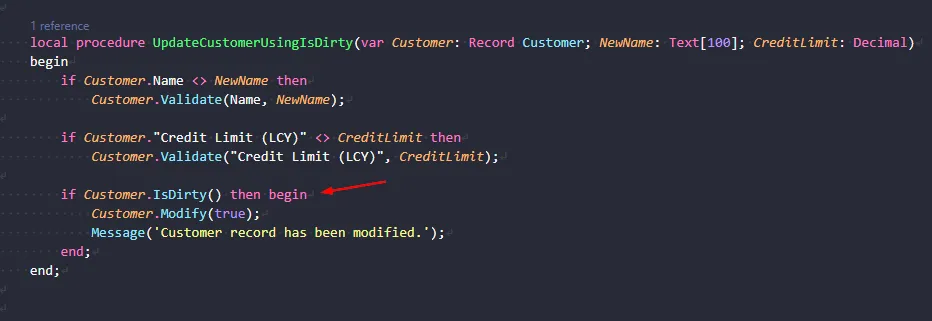
💡 Did you know you can use Record.IsDirty() to check whether a record has been modified?
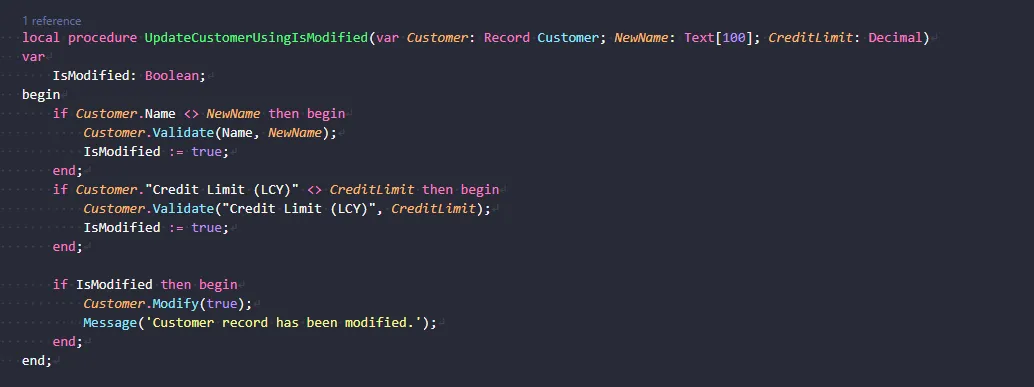
Instead of maintaining your own IsModified Boolean, let IsDirty() track changes for you:
if Customer.Name <> NewName then
    Customer.Validate(Name, NewName);

if Customer."Credit Limit (LCY)" <> CreditLimit then
    Customer.Validate("Credit Limit (LCY)", CreditLimit);

if Customer.IsDirty() then begin
    Customer.Modify(true);
    Message('Customer record has been modified.');
end;
Why does this matter?
✅ Less code to maintain.
✅ No need to maintain an IsModified Boolean yourself.
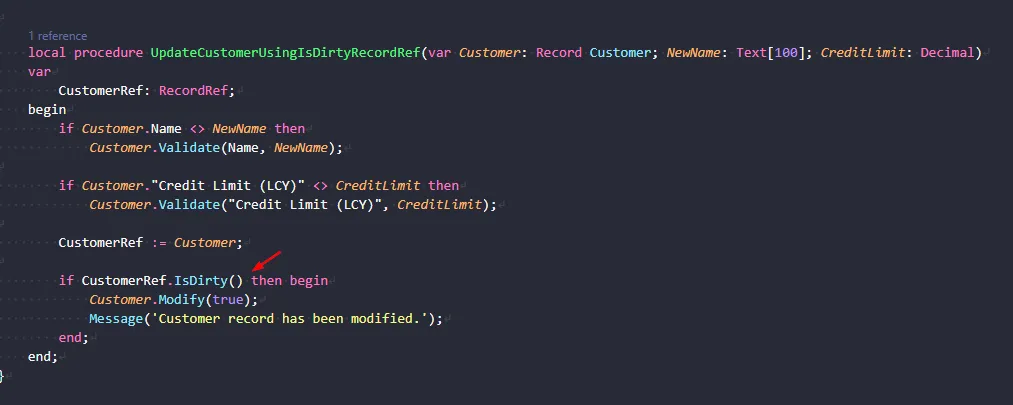
Record.IsDirty() is available from runtime 18, which is BC 29. For earlier versions, use RecordRef.IsDirty() instead.
A small change, but a useful pattern when you have multiple field updates.
Share to help others ♻️ and follow for more tips! 🚀