#BCFridayTips is here for #msdyn365bc developers!
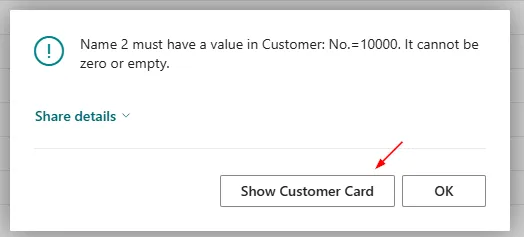
💡 Did you know TestField can automatically add a Show [Record] button to the error dialog?
When TestField fails, Business Central can give users a direct action to open the record and fix the problem.
You do not need to build this with ErrorInfo. It is already built into the platform.
Business Central resolves the target page from the Card page whose SourceTable matches the failing record’s table.
✅ TestField(Field)
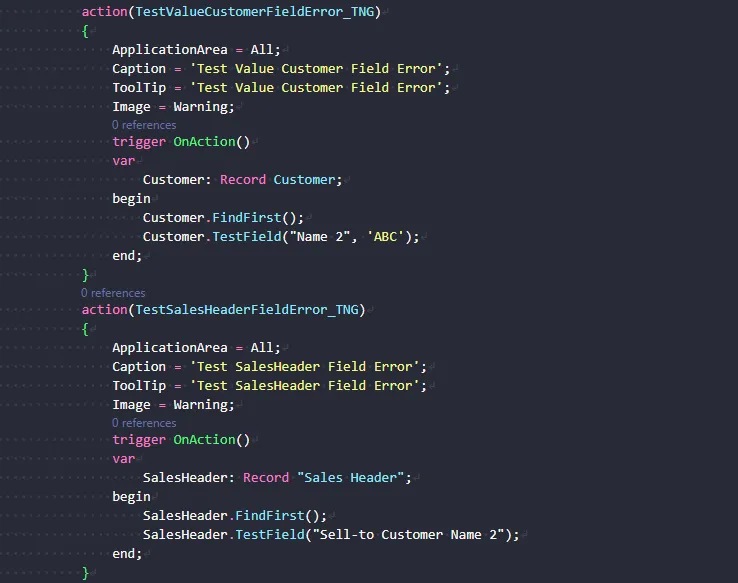
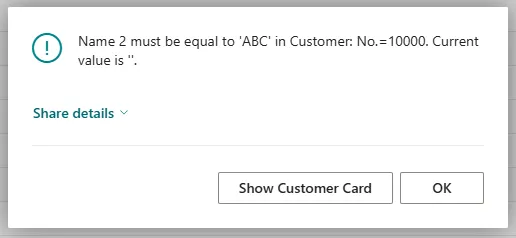
✅ TestField(Field, Value)
Both show the action for tables with a single primary key, such as Customer.
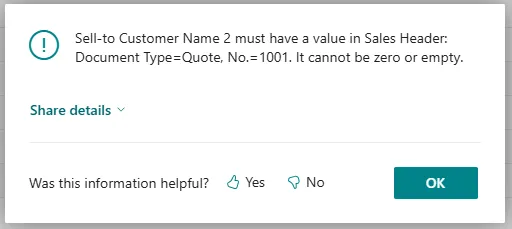
But tables with compound primary keys, such as Sales Header, do not.
trigger OnAction()
var
    Customer: Record Customer;
begin
    Customer.FindFirst();
    Customer.TestField("Name 2");
end;
Why this matters:
✅ Users can jump straight to the record instead of searching for it manually.
✅ You get a better error experience without writing extra code.
Reference: Microsoft Learn - TestField methods.
Share to help others ♻️ and follow for more tips! 🚀