BC Friday Tips #47 Enum Display Order
Happy #BCFridayTips for #msdyn365bc Developers!
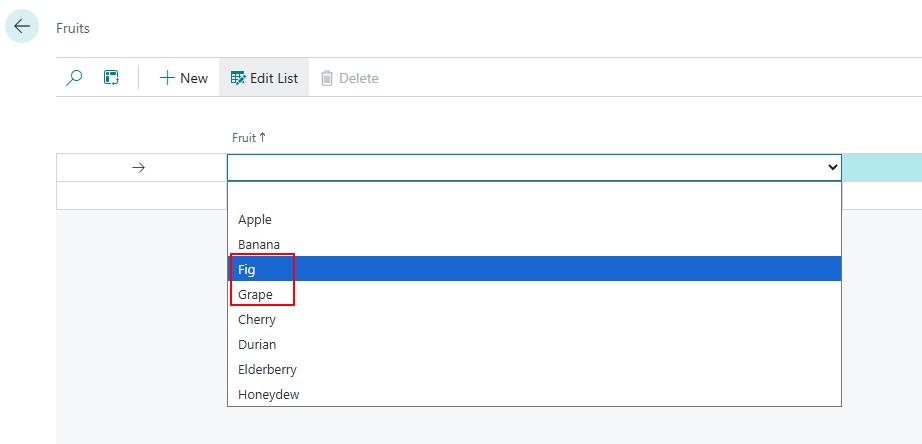
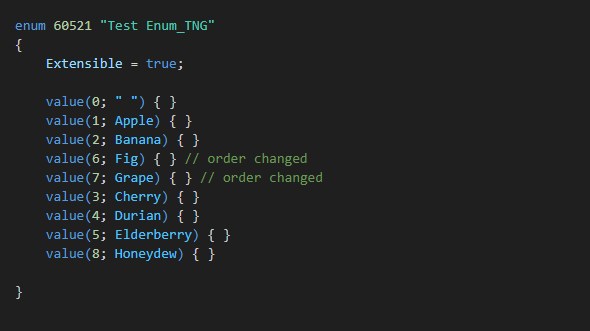
💡Did you know Enum values in AL are displayed based on their order in the code, not their ordinal?
For example:
This will display:
” “, Apple, Banana, Fig, Grape, Cherry, Durian, Elderberry, Honeydew
👉 The ordinals don’t control display order, the code order does.
Why does this matter?
✅ You can rearrange values without renumbering the ordinals.
Share to help others ♻️ and follow for more tips! 🚀