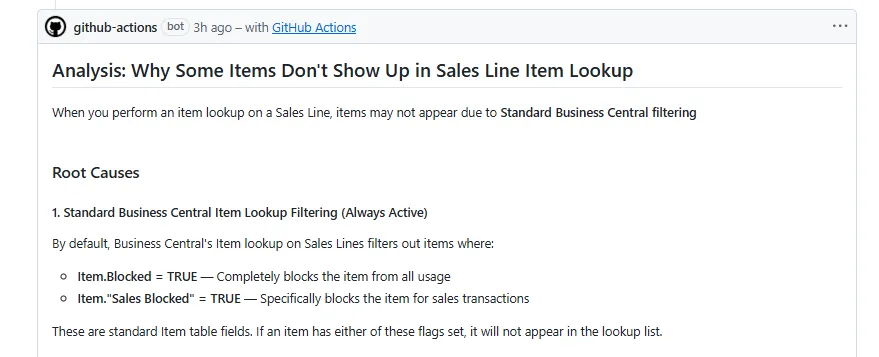
Have you ever needed to understand how an extension works, but had no idea where to look in the code?
Maybe you’re a functional consultant. You want to know what happens when a user clicks a custom action in Business Central.
Or you’re a developer who needs a quick answer, without cloning the repo and opening Visual Studio Code.
Why not use agent to get a quick answer?
Ask a question in a GitHub issue. Let an agent inspect the repository and reply in the same place.
I have prepared the Ask Agent workflow and setup guide, so you don’t need to write the workflow from scratch.
What is Ask Agent?
This setup uses GitHub Agentic Workflows, also called gh-aw.
You write the workflow settings and agent instructions in a Markdown file. The gh-aw tool turns that file into a workflow that GitHub Actions can run.
My sample uses GitHub Copilot to read an issue, search the repository, and post an answer.
It is a question-answering workflow, not a coding agent.
It doesn’t change your source code or open a pull request. The agent gets read access, and a controlled output step can publish one answer comment per run.
The instructions also tell it to cite relevant file paths and line numbers, and say when there isn’t enough evidence.
Why ?
Knowing where to look is often half the problem.
A non-developer might ask:
What checks does this extension perform before allowing a sales order to be released?
A developer might ask:
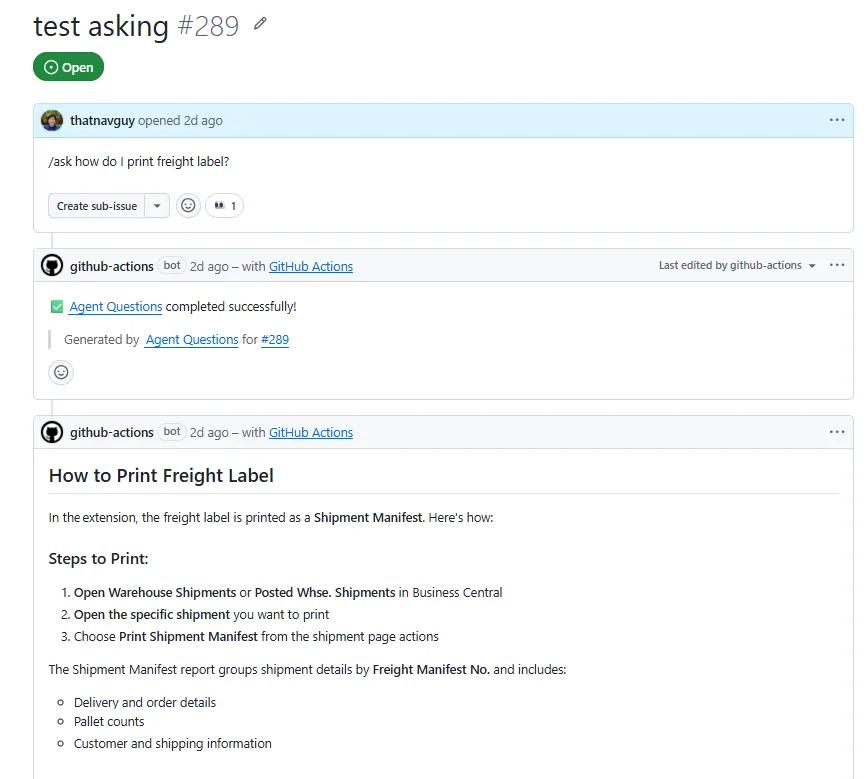
How does BC knows which printer to print the Manifest?
Both questions need repository knowledge. Neither should require setting up a local development environment just to get an initial answer.
You still need a GitHub account and the required repository access. This doesn’t make a private repo available to everyone.
How to implement it
This part is for the developer or repository maintainer. They set it up once. The people asking questions don’t need to install anything.
Before you start, make sure GitHub Actions is allowed in the repository.
You also need Copilot inference access and billing configured for the repository. The sample uses copilot-requests: write. Check the current authentication guidance with your administrator, especially when using a different organisation or a personal repository.
1. Install the workflow tool
Install and sign in to the GitHub CLI, then install its gh-aw extension:
gh auth login
gh extension install github/gh-aw
If you already have the extension, check that it is up to date.
2. Copy the source file
Download ask-agent-questions.md.
Place it in your local clone of the target repository:
.github/workflows/ask-agent-questions.mdThe sample prompt is written for a Business Central solution architect and AL developer. Change that description if your repo is about something else.
Also review who can trigger it. The sample allows the admin, maintainer, write, triage, and read repository roles.
Including read is useful for non-developers with read access. Narrow the list if your team needs tighter control over usage and cost.
3. Compile the workflow
From the repository root, run:
gh aw compile ask-agent-questionsThis generates:
.github/workflows/ask-agent-questions.lock.ymlThe Markdown file is the source. The .lock.yml file is what GitHub Actions runs.
Edit the Markdown file, then compile again. Don’t edit the generated file manually.
4. Put both files on the default branch
Commit both files and merge them through your normal pull request process.
The issue triggers need the workflow on the repository’s default branch.
For the full setup checklist and troubleshooting steps, use the Ask Agent Questions setup guide.
How to ask a question
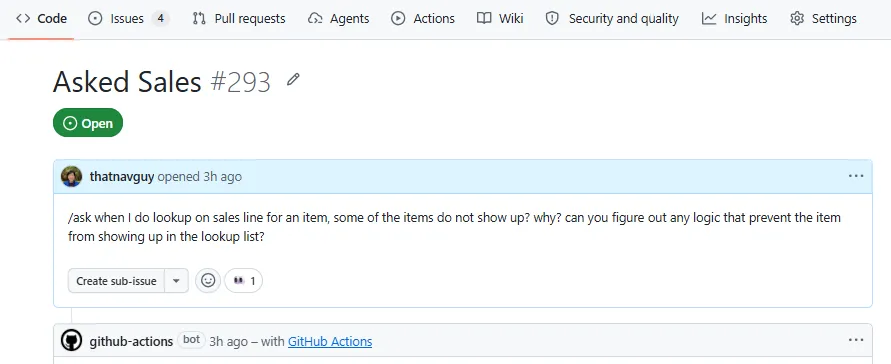
Once the workflow is ready, you can do this entirely in your browser.
- Open the repository’s Issues tab.
- Create an issue with a useful title and some context.
- Add a comment starting with
/ask, followed by your question.
For example:
/ask When I do lookup on sales line for an item, some of the items do not show up? why?The workflow reads the issue discussion, inspects relevant repository files, and can reply with one consolidated answer.
You can check progress in the repository’s Actions tab.
For a follow-up, add another /ask comment. Be specific about what you want clarified. The sample is configured to hide older answer comments when it posts a newer one.
There is also a label option. Someone with permission to manage issue labels can create and apply agent:ask to an issue containing the question. The workflow removes that label when it handles the request.
For a non-developer with read access, the /ask comment is usually the simpler route, provided repository policy allows them to participate in issues.
No cloning. No Visual Studio Code. Just the issue and your question.
Here’s the catch
The agent can only explain what it can find.
This sample doesn’t use external sources. It can’t inspect your live Business Central environment, customer data, or configuration that isn’t in the repo.
Ask it what validation the code contains. Don’t expect it to know why a particular customer’s transaction failed without supporting evidence.
And it’s still AI. Check the cited code before making a business decision or changing the solution. Don’t put passwords or sensitive customer details in your questions.
Final thought
You shouldn’t have to be the developer who wrote the code to ask how it works.
Give your team a way to ask repository questions where the answers can be shared. Start with one real question you would normally send to a developer.